Why are my disposable camera photos dark?
Updated 17 November 2026
Almost always because not enough light reached the film: the flash was off or still charging, the people were beyond its reach of about 3 metres (10 feet), or the camera had no flash at all. A lab can lighten the scan a little, but it can't bring back detail that was never on the negative.
Why disposable photos come out dark
A disposable camera has one setting and can't change it. Fujifilm's QuickSnap Flash, for example, shoots at 1/100 of a second at f/10 on ISO 400 film, and Fujifilm lists its exposure conditions as "outdoors on sunny or slightly overcast days. Flash where required." Kodak's FunSaver uses the same 1/100 at f/10 with faster ISO 800 film. That's plenty for daylight. Indoors at night, the flash has to do all the work, and when it doesn't, the frame comes out dark.
Labs see this constantly. Analogue Wonderland, a UK film shop and lab, says underexposed photos are one of the most common problems it sees with disposables, especially from weddings and parties, because people underestimate how much light a photo needs.
The usual causes
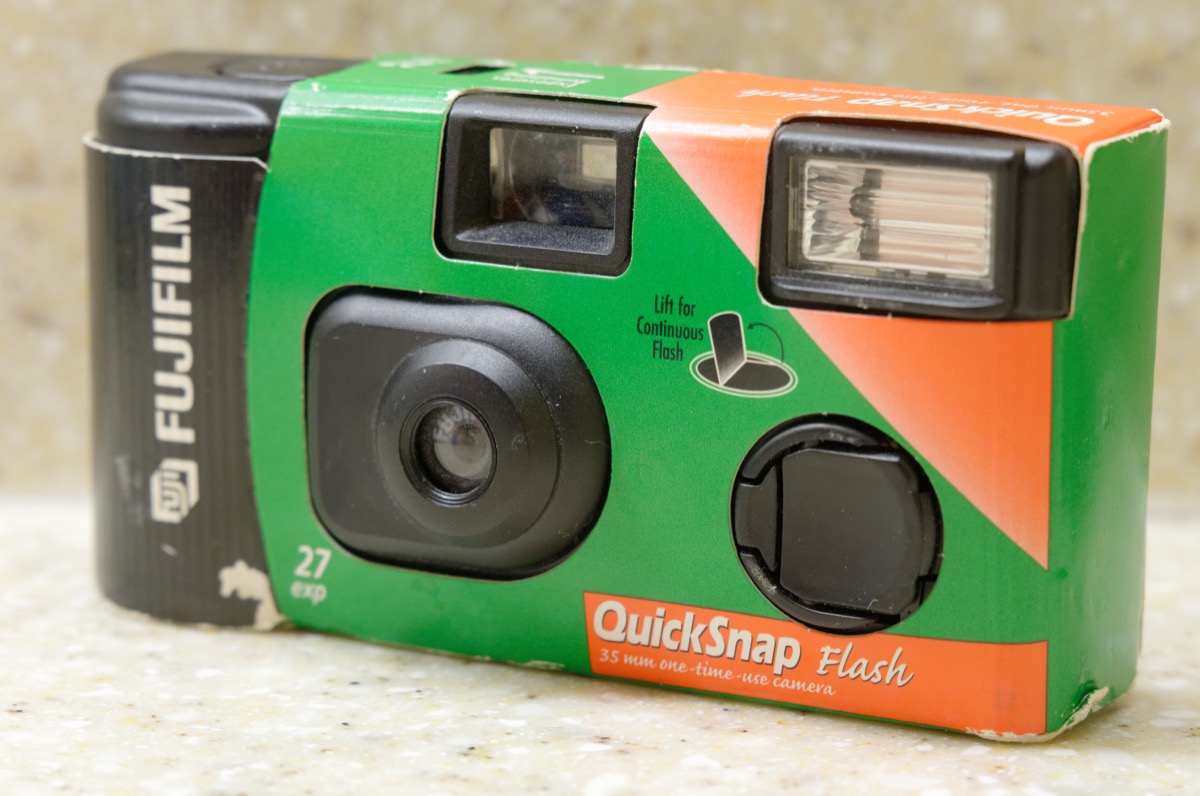
- The flash was off. On most disposables you press or slide a switch to turn it on. If it's off, a dim room barely registers.
- The flash wasn't charged. Kodak says the FunSaver's flash must be charged before every picture. Shoot before the ready light comes on and the flash doesn't fire.
- The people were too far away. A disposable's flash reaches about 3 to 4.5 metres, depending on the model. The dance floor from your table, the speeches from the back, or the cake from across the room are all out of range, so the people come out dark and the room comes out black.
- The camera had no flash. Kodak's Daylight and Sport cameras have none, and are made for outdoors. A guest who picks one up at the reception gets dark frames all night.
- Bright light behind them. A window, a sunset or a lit stage behind the people leaves their faces in shadow. Rewind Photo Lab lists strong backlighting as a common cause of dark frames.
- Old film, or airport scanners. Expired film loses sensitivity, so frames come out dark and muddy (here is how long disposable cameras last). Airport CT scanners for carry-on bags can fog a whole roll in one pass, which looks grainy and grey rather than simply dark.
Too close is a problem too, just the opposite one. Fujifilm says the QuickSnap focuses from 1 metre, and Analogue Wonderland warns that flash too close to a face washes it out.
Flash range by camera
| Camera | Film | Flash range |
|---|---|---|
| Kodak FunSaver | ISO 800 colour | 1.2 to 3.5 m (4 to 11.5 ft), charged before every shot |
| Kodak Power Flash | ISO 800 colour | 1.2 to 4.5 m (4 to 14.5 ft), recharges automatically |
| Kodak Professional 400TX | ISO 400 black and white | 1.2 to 4.5 m (4 to 14.5 ft) |
| Fujifilm QuickSnap Flash 400 | ISO 400 colour | 1 to 3 m (about 10 ft) |
| Kodak Daylight, Kodak Sport | ISO 800 colour | No flash: outdoors only |
Figures are from Kodak's and Fujifilm's own product pages, read in November 2026. Check the label on your camera, because models and packs change.
What a lab can and can't fix
Rewind Photo Lab explains it plainly: problems like these are created when the photo is taken, and they're visible on the negatives themselves, not added in developing or scanning. When a lab scans a dark frame, its technicians brighten it as far as they can. But with an underexposed frame, the shadow detail is permanently missing from the negative, so there's a limit to what any scan can bring back.
- A frame that's a bit dark can often be lifted in the scan, or by you afterwards with the brightness and shadows sliders in your photo app. Expect more grain.
- A frame that's nearly black, with only a face or a light showing, won't become a good photo. Brightening it mostly brings up grain and muddy colour.
- A frame that's completely blank got no light at all. Rewind says it only scans frames with a visible image, so blank ones are simply skipped, which is why a roll of 27 can come back with fewer photos.
If a whole roll came back dark and you're not sure why, ask the lab to look at the negatives. A good lab can usually tell you whether it was the light, the camera or the film. Our guide to getting a disposable camera developed covers where to send them and what to ask for.
Flew with the camera before it was developed? Kodak advises keeping undeveloped film out of the CT scanners now used at many airports, because they can fog it. Our guide to whether airport security will ruin a disposable camera explains which machines are safe and how to ask for a hand check.
Want to try it? SEENCAM gives your guests one QR code. They shoot from their own phones with no app to download, and every photo develops together when the roll opens. Free for up to 10 guests.
Get SEENCAM on the App StoreHow to get brighter photos next time
- Flash on for every indoor shot, and wait for the ready light before each one. Rewind's rule of thumb is that, when unsure, a little too much light is better than too little.
- Stand about 1 to 3 metres (3 to 10 feet) away. Close enough for the flash, not so close that faces wash out.
- Keep the light behind you, not behind the people you're photographing.
- Put a label on each camera. Analogue Wonderland suggests a sticker with simple instructions, such as "flash on, wind on" (our guide to how to use a disposable camera has wording you can copy). Some hosts tape the flash switch down so it can't be turned off.
- Hand them out while it's light. Cameras on the tables during the drinks reception, outdoors or near windows, come back far better than the same cameras at 11pm.
- Check the cameras you buy. For an indoor party, pick a model with a flash, not a Daylight or Sport camera.
Planning cameras for a wedding? Here's how many you need and what they cost, and an honest look at whether they're worth it.
How SEENCAM does it
SEENCAM is a disposable camera on your guests' own phones. You start a roll in the iPhone app and put one QR code on the tables. Guests scan it and shoot, with no app to download and no account: the camera opens as an App Clip on iPhone and in the browser on any other phone.
It keeps the parts people love about a disposable. Each guest gets a set number of shots, nobody sees the photos until the time you choose, and guests pick from eight film looks, such as FLASHBULB, seeing the look live before they shoot. What changes is the camera: the phone in each guest's pocket instead of a fixed f/10 lens and a flash with a 3-metre reach, and no rolls to collect, post or develop.
Every roll is free for up to 10 guests. A bigger party is a one-time purchase for that roll, with no subscription, and guests never pay.
Sources
- Single-Use Cameras, Kodak Professional
- QuickSnap: specifications, Fujifilm
- Understanding Common Film Issues: Blank Frames, Light Leaks, Misexposure & More, Rewind Photo Lab
- 10 Tips for Capturing Amazing Photos with Disposable Cameras, Analogue Wonderland
Related guides
Keep the disposable feel, lose the dark rolls
Start a roll on your iPhone and put one QR code on the tables. Guests shoot on their own phones in real film looks, and every photo develops together when you choose. Free for up to 10 guests.
Get SEENCAM on the App Store