How to get a disposable camera developed, and where to take it
Updated 17 November 2026
To get a disposable camera developed, finish the roll, keep the camera closed and take the whole thing to a store photo counter, a local lab or a mail-in lab. Ask for prints, scans or both, and whether the negatives come back. Expect several days at a store, and about a week by post.
How to get a disposable camera developed, step by step
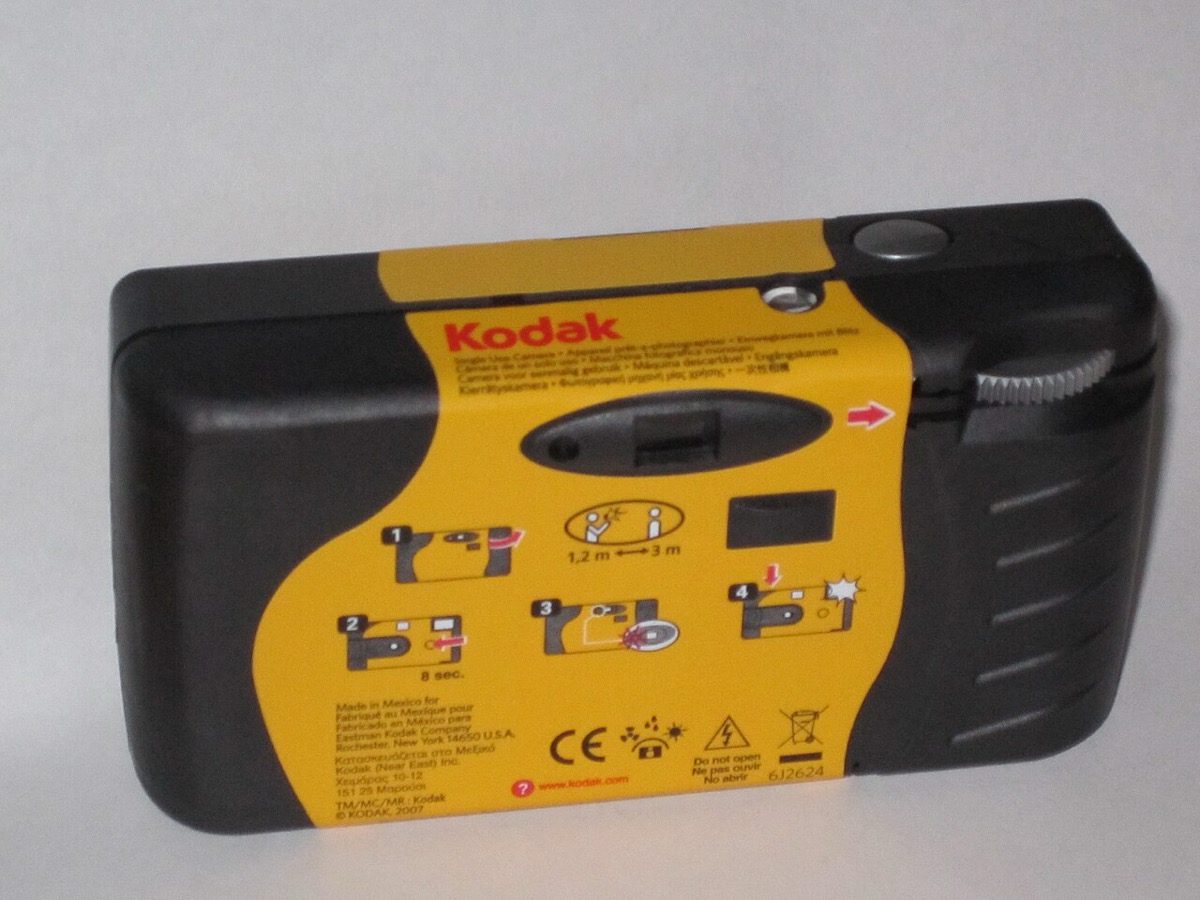
- Finish the roll and wind it. Shoot until the counter reaches zero, winding the wheel after each shot as usual, and never open the back: light ruins the film. A few frames left? You can send it as it is. The Darkroom, a mail-in lab, says it develops every exposed frame and the unused ones simply come back blank.
- Choose where it goes: a drug store or big-box store with a photo counter, a local camera shop or lab, or a mail-in lab. Each is covered below.
- Say what you want back: prints, scans (digital files) or both. Then ask the one question that matters most: do I get my negatives back? The negatives are the original. With them, you can have better scans or new prints made years from now. Without them, the prints or files you get are all there is.
- Know how long it takes. Walgreens says 3 to 5 business days, and Walmart says most orders take about six days. By post, allow about a week, often a little more, from the day you send it to the day you see your photos.
- Know how the photos come back. From a store, you pick up prints, and digital copies on a CD or USB if your store offers them. From a mail-in lab, you usually get an email with a link to your scans, then the negatives and any prints by post. If some come back dark, here's what causes it and what a lab can fix.
Throwaway camera, single-use camera, disposable camera: they're all names for the same thing, and every option below develops them the same way.
Where to develop a disposable camera: stores
Some big chains still take disposable cameras at their photo counter. Expect days rather than an hour. What their own pages said when we checked again on November 17, 2026:
- Walgreens: $15.99 per 24 exposures of 35mm film, including disposable cameras, with a photo CD of the digital images. Ready to pick up in 3 to 5 business days. Walgreens says orders don't include the negatives.
- Walmart: develops 35mm film and single-use cameras at stores with a photo center. You bring the camera to the counter, and Walmart lets you know when the 4x6 or 5x7 prints are ready, most in about six days. Digital copies on a USB or CD cost a little extra. Walmart's page doesn't say whether the negatives come back, so ask at the counter.
- CVS and other pharmacies: we couldn't confirm their current film service from their own pages, and not every branch still develops film. Call the one near you before you make the trip, and ask about turnaround and negatives.
Stores suit one or two cameras from a birthday or a holiday, when you mainly want something to hold. If you plan to print large or share online, ask what size the digital files are.
Disposable camera developing by mail
Mail-in labs develop film every day, and many take single-use cameras. You order online, post the camera, and get a link to your scans once it's done. Two examples, from their own pages on November 17, 2026:
- The Darkroom (Southern California): gives you a prepaid shipping label at checkout, or a mailer if you have no printer. Mail takes 2 to 5 days to reach it from most of the US. It develops, scans and uploads to a private web gallery in 2 to 4 days, emails you, then posts the negatives back, cut and sleeved, with any prints you ordered. Disposable cameras start at $17.
- Dwayne's Photo: disposable camera processing (35mm color film) starts at $7.50. Check the turnaround and what scans or prints add before you order.
If you're near a lab, ask whether you can drop cameras off in person instead. A few things that save trouble:
- Send the whole camera, unopened, in a padded envelope or small box.
- Check the format. Most disposables use 35mm film. Older formats such as APS and 110 can take longer: The Darkroom quotes 7 to 10 days for those.
- Write your name on each camera or keep a list of how many you sent, so nothing goes missing between you and the lab.
Want to try it? SEENCAM gives your guests one QR code. They shoot from their own phones with no app to download, and every photo develops together when the roll opens. Free for up to 10 guests.
Get SEENCAM on the App StoreDeveloping a wedding's worth of cameras
With a camera on every table, developing becomes a small project of its own. Here's how to keep it simple:
- Pick one person to collect them at the end of the night, with a bag or box. A sign by the door helps: "Leave our cameras here, please!"
- Count them before they leave the venue. If you put out 14, you want 14 back.
- Choose a lab before the wedding, so the cameras go out the following week instead of sitting in a drawer.
- Hand the job to someone if you're going on honeymoon. A parent or friend can post them and forward you the link to the scans.
- Budget for developing as well as cameras. Stores and labs charge for each camera. At the starting prices above, checked on 17 November 2026, developing alone for 15 cameras runs from $112.50 to $255, before prints. The disposable camera calculator works out the whole bill for your guest list, and how many disposable cameras you need covers the count.
Flying home with undeveloped film
After a destination wedding or a trip, keep the cameras in your carry-on. The TSA recommends putting undeveloped film, and cameras with film still in them, in carry-on bags, or taking them to the checkpoint and asking for a hand inspection. The final decision is the officer's, so allow a little extra time. Here's what airport scanners do to disposable cameras, and how to ask for a hand check.
Skipping the developing altogether
Part of the charm of a disposable camera is the wait: you don't know what you got until the prints come back. If you love that but not the collecting, posting and paying per camera, a disposable camera app keeps the wait and drops the lab.
With SEENCAM, you start a roll on your iPhone and share one QR code or link. Guests scan it and shoot from their own phones, with no app to download and no account: the camera opens as an App Clip on iPhone and in the browser on other phones. You choose how many shots each guest gets and when shooting stops, and the photos stay hidden until the time you pick: during the event, when it ends, or 12 or 24 hours later. Then they all appear together, in one of eight film camera looks. (If you just want iPhone photos that look like film, your phone can get surprisingly close on its own.)
A roll is free for up to 10 guests, and bigger rolls are a one-time purchase for that roll, with no subscription. Guests never pay. There's a fuller comparison in disposable camera app for weddings: how it works.
Plenty of couples do both: a few real cameras on the tables for the look, and a roll on everyone's phone so nobody has to remember to post anything. If you're still deciding, here's whether disposable cameras at a wedding are worth it, counting the developing.
Sources
- Film Processing & Development, Walgreens Photo
- Film processing, Walmart Photo
- Disposable Camera Developing by Mail, The Darkroom
- Frequently asked questions, The Darkroom
- Services, Dwayne's Photo
- What Can I Bring? Film, Transportation Security Administration
Related guides
No lab, no waiting by the post box
Start a roll on your iPhone and share one QR code. Guests shoot from their own phones, and every photo develops together when the roll opens. Free for up to 10 guests.
Get SEENCAM on the App Store