Unplugged wedding ceremony: how to ask, what to say, and keeping the photos
Updated 10 November 2026
An unplugged ceremony means asking guests to put their phones away while you say your vows, so they watch you instead of a screen. Here is how to ask kindly, wording you can copy, and how to still end up with every photo your guests take afterwards.
What an unplugged ceremony is
It is a simple request: phones and cameras away from the moment the ceremony starts until it ends. Your photographer takes the photos, and everyone else just watches.
Most couples keep it to the ceremony. A few extend it to the speeches or the cake cutting, and a very few go phone-free for the whole day. Asking for the ceremony alone is the easiest request to keep, and the one guests are most used to.
Why couples ask for it

- The aisle stays clear. Photographers often talk about guests stepping into the aisle with a phone just as the couple walks past. That arm ends up in your best photo.
- No screens in the pictures. Look at the guests in a ceremony photo and you'll often see a row of phones where faces should be.
- No buzzing. A ringtone in the middle of the vows is hard to forget.
- Nothing goes online first. Some couples want to share their own photos before anyone else does.
- People are there. Guests who aren't filming are watching, and you can see them watching.
The honest downside: guests take photos you'll never get otherwise, and a ceremony is short. If you love candid shots from friends, keep the ceremony unplugged and welcome phones back the minute it ends.
How to tell guests
Say it more than once, in a friendly way, and give the reason. Most guests are happy to help once they know.
- On the wedding website, in the FAQ. Some guests won't know the term, so explain it in a line.
- On the invitation or an insert card, if you'd like everyone to know early.
- On a sign at the ceremony entrance. Keep it warm, not a "no phones" warning.
- In the programme, though not everyone reads it, so don't rely on it alone.
- From the officiant, once everyone is seated and just before you walk in. This is the one that really works.
Sign wording you can copy
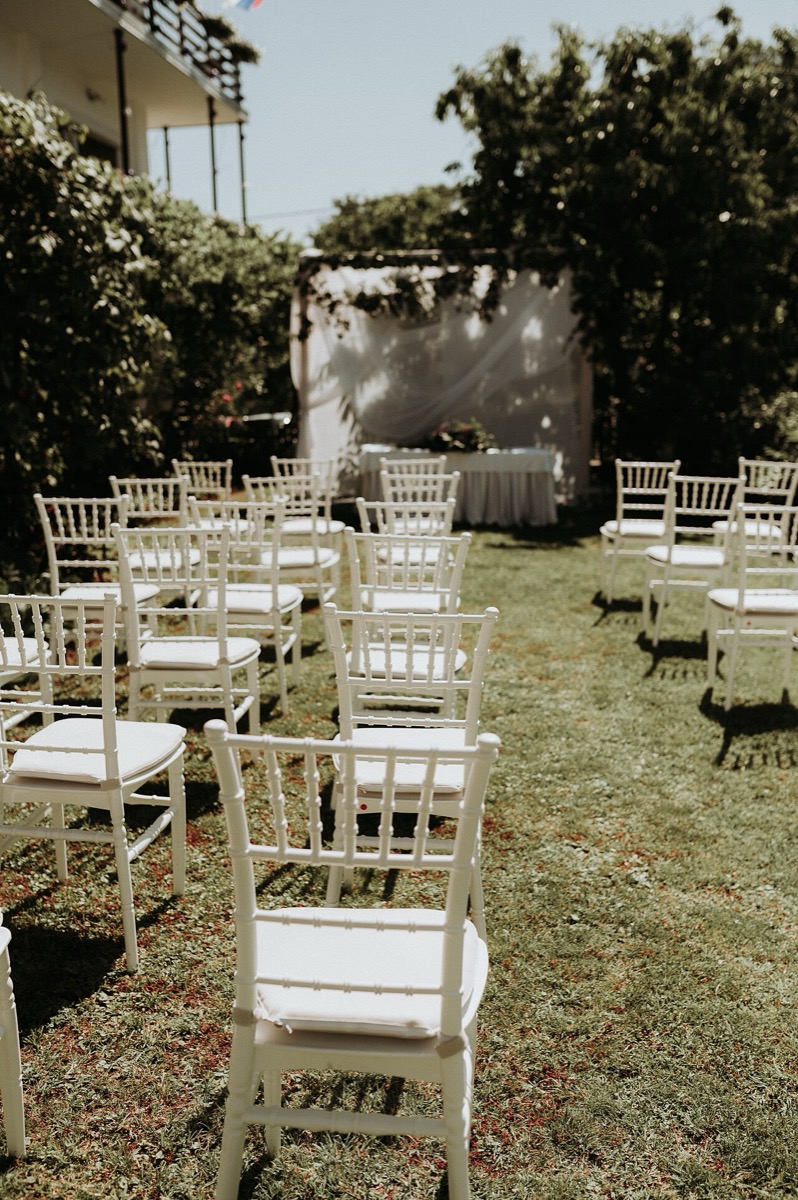
- "Welcome to our unplugged ceremony. Please put your phones away and be here with us. Our photographer has it covered, and you're welcome to take photos at the reception."
- "We'd love to see your faces, not your screens. Phones away until we say I do."
- "Unplugged ceremony. Please switch off and enjoy the moment. Phones back out at the party."
What the officiant can say
Give your officiant the words in writing. A friend officiating on the day has a lot to remember.
- "Before we begin, [names] have asked for an unplugged ceremony. Please turn off your phones and put them away. Their photographer will capture everything, and they'd love you to simply be here with them. You'll be welcome to take all the photos you like at the reception."
Ending with when phones are welcome again makes the request feel like a pause, not a ban.
When phones come back out
Decide the moment and say it out loud. Good choices:
- The recessional. The officiant says "you may now take your photos," and everyone gets a shot of you walking back up the aisle.
- Cocktail hour. The simplest line for the sign: "phones back out at the party."
- An announced moment. If you go unplugged for longer, give guests a short window, during dinner or a dance, when photos are welcome.
Handling the exceptions
- Relatives who can't come. Ask one person, not ten, to film the vows for them, from a seat at the side and not in the aisle. Tell the photographer who it is.
- The guest who forgets. Ask an usher or a friend to give a quiet reminder before you walk in. It's never worth a scene.
- Your photographer. Tell them you've gone unplugged. They'll plan their spots knowing the aisle will be clear.
Keeping guest photos once phones are back
The reception is where guests take the photos your photographer never sees: the table that never stopped laughing, the dance floor at midnight, the sparkler send-off. An unplugged ceremony makes those photos more precious, and they still disappear into a hundred camera rolls unless you plan where they go. Here's how to collect wedding photos from your guests, and when guests should hold off: can guests post wedding photos before the couple?
One easy way is to give the reception its own camera. Put a QR code on the reception tables, not the ceremony chairs, so the code itself says "now's the time." This is how SEENCAM works.
Want to try it? SEENCAM gives your guests one QR code. They shoot from their own phones with no app to download, and every photo develops together when the roll opens. Free for up to 10 guests.
Get SEENCAM on the App StoreSetting it up with SEENCAM
- Create a roll in the SEENCAM app on your iPhone and give it your wedding's name.
- Choose the rules: how many shots each guest gets, when shooting stops, and when the photos appear: during the reception, when it ends, or 12 or 24 hours later.
- Print the code for the reception tables. Here is sign wording and where to put the codes.
- Guests shoot from their own phones with no app to download and no account: on iPhone the camera opens as an App Clip, and on any other phone it opens in the browser.
- The roll opens at the time you chose, and everyone sees the whole night at once. Save your favourites or the whole roll.
Why it fits an unplugged wedding
- No scrolling at the table. Photos in the roll stay hidden until the reveal, so guests take a shot and put the phone down again.
- A few shots each. A limit makes guests choose their moments, like a real disposable camera, instead of filming everything.
- It stays private. Rolls are invite-only, and you can set the roll so each guest sees only the photos they're in.
- Everyone finds themselves. Guests who take a selfie when they join can find every photo they're in. The matching happens on their phone, and faces are never uploaded.
- Words as well as pictures. Guests can leave you a voice note of up to 12 seconds, sealed until the reveal.
Every roll is free for up to 10 guests. For a full wedding, you buy a bigger roll once, with no subscription, and guests never pay.
A simple plan for the day
- Weeks before: add a line to the website FAQ, tell your photographer, give the officiant their words.
- At the entrance: the unplugged sign.
- Just before you walk in: the officiant's announcement.
- As you walk back up the aisle: "you may now take your photos."
- At the reception: the QR code on every table, and one mention from the MC.
Sources
- How to Let Your Guests Know You're Having an Unplugged Wedding, WeddingWire
- Is an Unplugged Wedding Right for You?, WeddingWire
- What is an Unplugged Ceremony, and Should I Have One?, Say I Do
Related guides
Phones away for the vows, one camera for the party
Start a roll on your iPhone, put one code on the reception tables, and every guest's photos develop together when the roll opens. Free for up to 10 guests.
Get SEENCAM on the App Store