Wedding photo scavenger hunt: a list you can copy and how to run it
Updated 4 November 2026
Give each table a card of 10 to 15 things to photograph, and guests will capture moments you'd otherwise miss. Here is a list to copy, how to run the game, and how to get the photos back.
Why a scavenger hunt works at a wedding
You can only be in one place at your own wedding. While you're greeting your aunt, your college friends are meeting your cousins and someone's small child is under the dessert table. A photo scavenger hunt gives guests a reason to look for those moments and to talk to people they don't know.
It's a familiar idea. Some couples call it I Spy and put a card on each reception table, listing things for guests to capture on their phones. Others put one list on a poster by the bar. Either way, it only pays off if the photos reach you afterwards, so plan that part from the start.
A scavenger hunt list you can copy
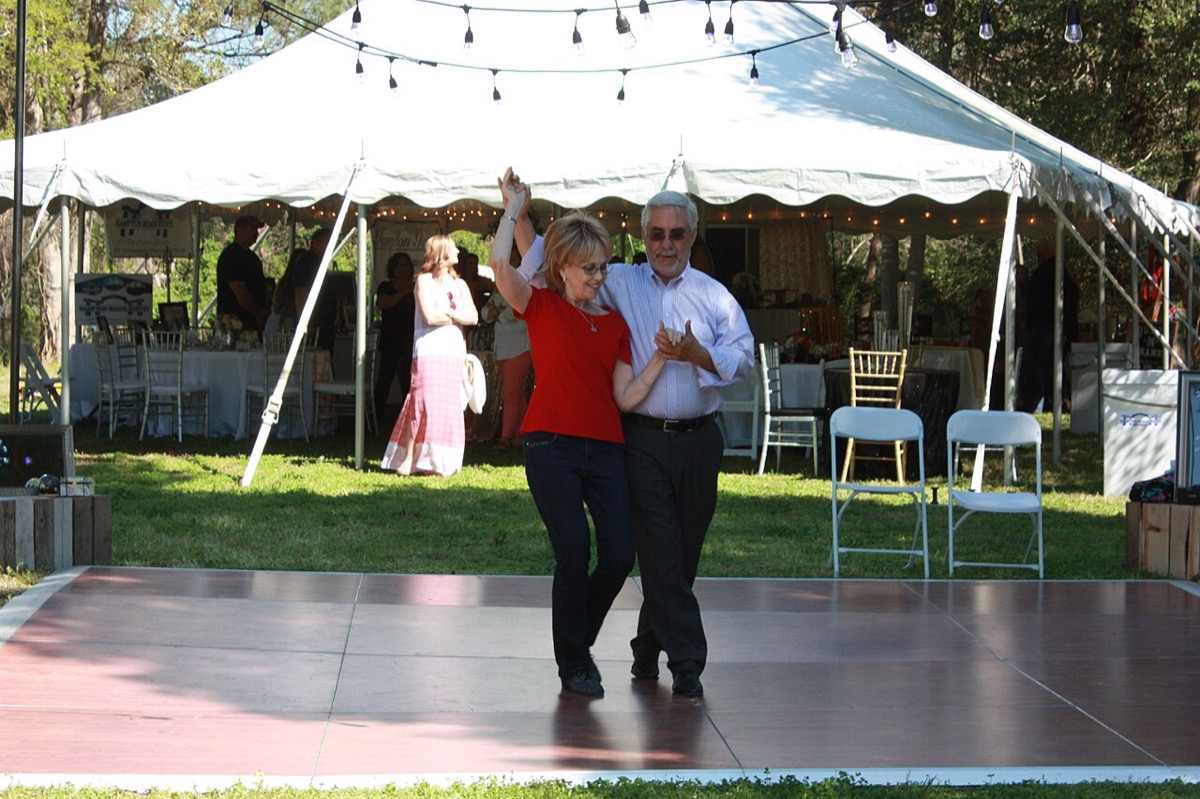
Pick 10 to 15 of these, and swap in a few that only make sense for the two of you. Mix easy ones with one or two that take real effort.
Easy starters
- Everyone at your table, in one photo
- The best shoes in the room
- Your table's centrepiece, from an odd angle
- The cake before anyone touches it
- A selfie with someone you met today
People and reactions
- Someone crying happy tears
- The couple laughing, not posing
- The youngest guest and the oldest guest together
- The person who travelled farthest, holding your table number
- Two people from different families who just met
- Whoever is laughing hardest during the speeches
On the dance floor
- The best dance move of the night
- A couple who have been married longer than you've been alive
- Someone dancing with their shoes off
- A child dancing with a grown-up
Worth a bonus point
- Your whole table spelling out the couple's initials
- A photo with the couple that they'll have to explain later
- The people working the wedding, with a thank-you
- The last people on the dance floor
Wording for the card
Keep it short enough to read with a drink in one hand:
- "Help us see the day we'll miss. Photograph as many of these as you can, and tick them off as you go. Please keep your phones down during the ceremony."
- "Tonight's challenge: your table against every other table. Most ticks by the last dance wins."
How to run it
- Choose a format. A card per table suits a seated dinner, because each table becomes a team. A poster by the bar suits a standing reception.
- Pick a time window. The cocktail hour is an obvious start, since guests are already waiting and mingling. Then let it run until a set moment, such as the last dance.
- Have the MC mention it once. One sentence early in the reception is enough.
- Name a table captain. Whoever is sitting closest to the card can hold the pen. Ask them to pass the phone around, so the same person isn't taking every photo.
- Set the rules out loud. Only photos taken today count, and the finish time is final.
Scoring without a judge
Don't make anyone check photos during your own wedding. Let each table tick its own card, at one point per prompt, and hand it in at the bar.
Prizes are optional. A bottle of wine for the winning table is plenty, and many guests are happy just to see their pictures afterwards. If the photos won't be visible until the next day, announce the winner then, in the message where you share the album.
Keeping it kind
- Protect the quiet moments. No prompt should send someone into the aisle or in front of your photographer. Leave the ceremony and the first dance off the list.
- Ask before photographing people you don't know, especially other people's children.
- Say what happens to the photos. If you'd like to share the first pictures yourselves, write "please don't post until we do" on the card.
How the photos get back to you
A list creates plenty of photos, but they all start out on different phones. These are the usual ways to gather them.
A wedding hashtag
Simple to print on the card, but it only gathers what guests choose to post, and not everyone wants wedding photos on their feed.
A shared album
Print a QR code on the card that links to a shared album or folder. In Apple Photos, a shared album can let people add their own photos, and the owner decides whether it's invite-only or open to anyone with the link. This works best when most guests already use the same service. There's more on what to look for in a photo sharing app.
Real disposable cameras
One camera per table and a list beside it is a lovely look. But the film has limited shots, someone has to collect the cameras, and you won't see anything until it's developed. Here's how many you'd need and what they cost.
One QR code for a shared camera
Guests scan one code and shoot straight into one roll for the wedding, so no one has to remember to send anything later. This is how SEENCAM works.
Want to try it? SEENCAM gives your guests one QR code. They shoot from their own phones with no app to download, and every photo develops together when the roll opens. Free for up to 10 guests.
Get SEENCAM on the App StoreSetting it up with SEENCAM
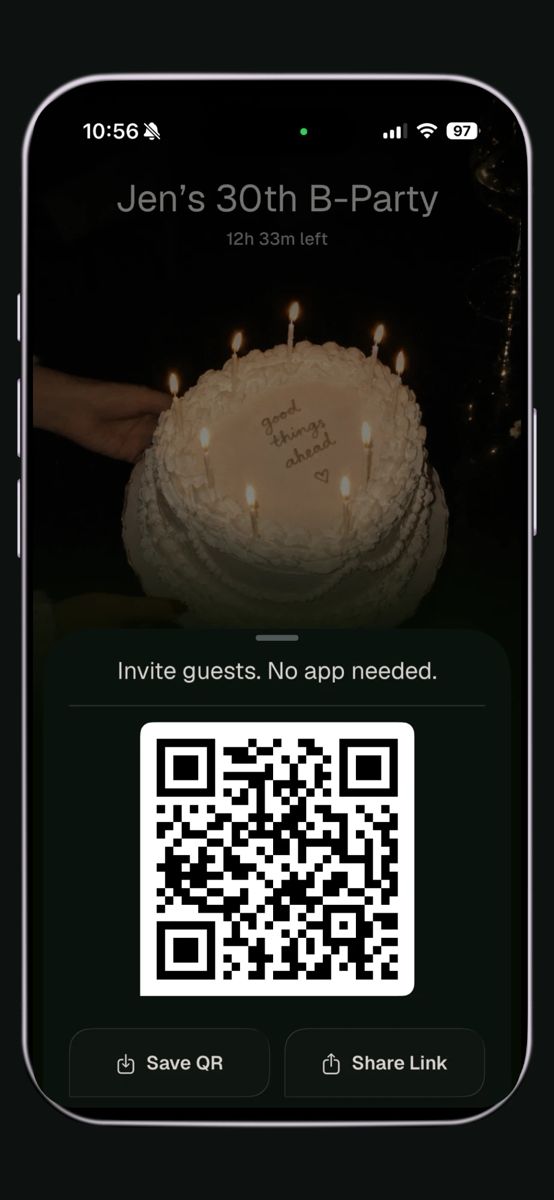
- Create a roll in the SEENCAM app on your iPhone and name it after the wedding.
- Match the shots to the list. Each guest can have 6, 12, 18 or 24 shots. A table sharing a 12-item list has plenty at 12 each, and it leaves room for photos that aren't on the card.
- Choose when shooting stops and when photos appear: during the event, when it ends, or 12 or 24 hours later.
- Put the QR code on every card. Nobody installs anything or makes an account. On iPhone the camera opens as an App Clip, and on any other phone it opens in the browser.
- The roll opens at the time you chose, and everyone sees the whole hunt together. You can save your favourites or the whole roll.
What changes when the photos stay hidden
If the photos stay hidden until later, nobody can look back during the party. Guests can't scroll through what they've shot or see what other tables found, so the game can't take over the evening. That's also why tables should keep score on paper.
- Open it the next morning for a second round of fun. Opening the roll 12 hours later gives you the winners to announce, with the photos to prove it.
- Choose "during the event" if you'd rather announce a winner before the last dance.
- Let people find themselves. Guests who take a selfie when they join can find every photo they're in, even ones other tables took. The matching happens on their phone, and faces are never uploaded.
Privacy and cost
Rolls are invite-only, so only people with your code or link can join. You can also set the roll so each guest sees only the photos they're in. Every roll is free for up to 10 guests, and a bigger wedding is a one-time purchase for that roll, with no subscription. You can add more guests after the roll has started, and guests never pay.
Printable scavenger hunt card: add your names, edit the list and print two cards to a page.
Sources
- 10 best wedding games for your big day, Photobox
- Redfield Estate "I Spy" Reception Game, The Knot
- How to use Shared Albums in Photos on your iPhone, iPad, or Apple Vision Pro, Apple Support
Related guides
Put one QR code on every card
Start a roll on your iPhone, and every table's hunt lands in one place, ready to open together. Free for up to 10 guests.
Get SEENCAM on the App Store