Sparkler exit photo tips: phone settings, timing and safety
Updated 18 November 2026
Light the longest sparklers you can all at once, have the couple walk slowly and stop near the end, and ask guests to turn Night mode off and shoot in bursts. Keep buckets of water at the end of the line: sparklers burn at about 2,000°F.
Why sparkler photos go wrong
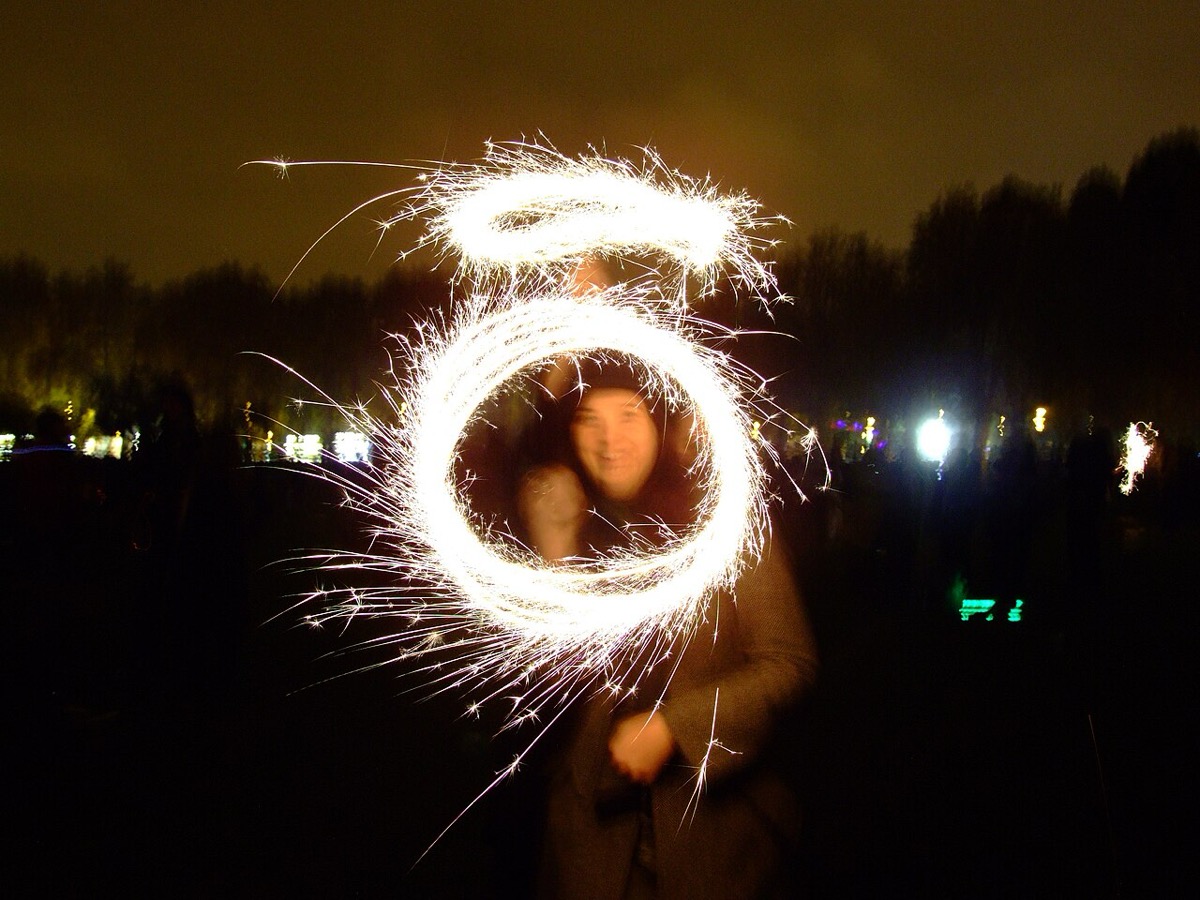
A sparkler exit happens in the dark, lasts only as long as the sparklers burn, and the people you want in the picture are moving. Phones handle darkness by keeping the shutter open longer, which is perfect for a still street at night and wrong for a couple walking past. The usual results are smeared faces, sparks turned into white blobs, or a dark tunnel with two shapes in it.
Most of the fix happens before anyone picks up a phone: how the exit is planned, which sparklers you buy, and how fast the couple walks. The rest is a few settings guests can change in ten seconds.
Plan the exit
- Ask the venue first. Some venues don't allow sparklers at all, and others only in certain spots. Find out before you buy any.
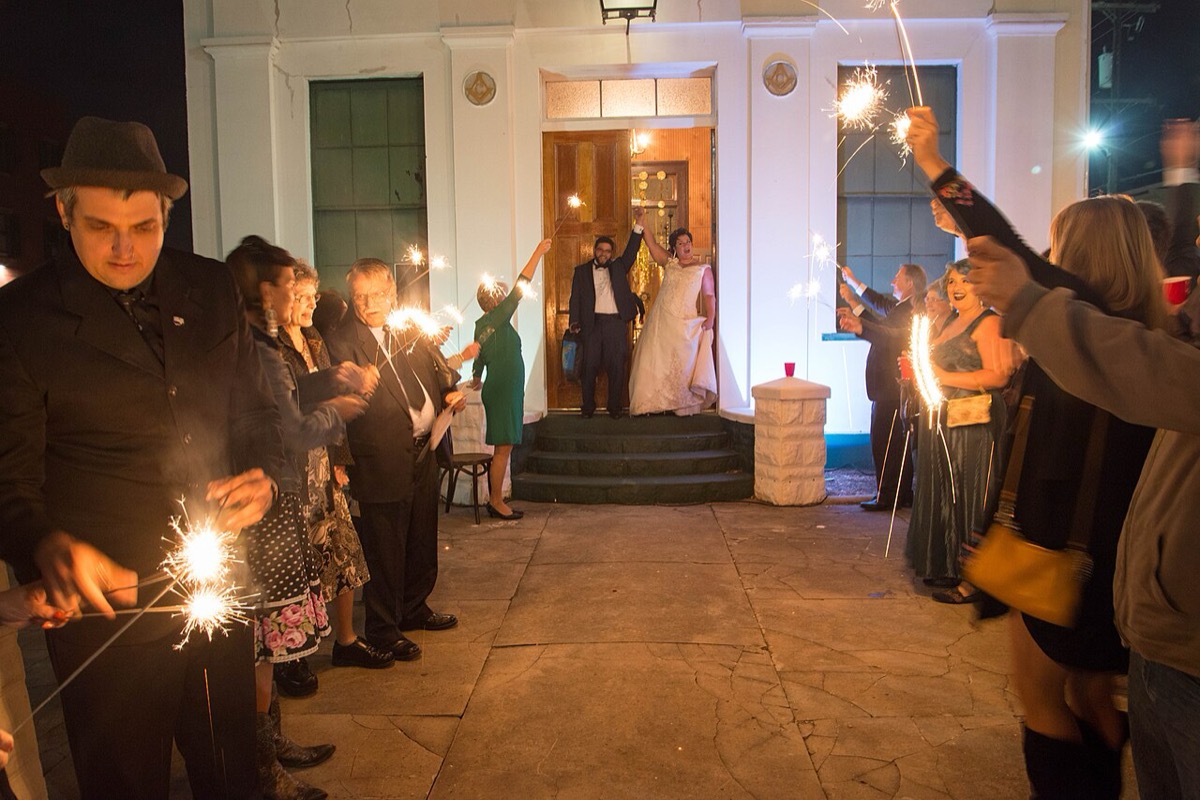
- Buy the longest sparklers you can. Photographers agree on this one. Mastin Labs, drawing on its community of wedding photographers, says longer sparklers burn longer, light the group better, and keep the flame high above the crowd, where short ones put it at face height. Check the burn time on the box.
- Pick a dark spot. Bright entrance lights and streetlights fight the sparkler glow. A path away from them looks far better.
- Think about going earlier. Mastin Labs notes that exits before the sun has fully set can look beautiful too, and phone cameras cope far better with a little daylight left.
- Get a heads-up. Ask the planner or DJ to warn the photographer and guests a few minutes before the couple comes out, so nobody is still lighting when they appear.
- Light them together. Give lighters to a few people spread along the line and have guests light from each other's sparklers, so the whole tunnel is burning at once.
How the couple should walk
Slowly. Every photographer's advice starts here, because the instinct is to run through the sparks. Walk, look at each other, wave to people. Stop for a kiss or a dip about three-quarters of the way down the line, where you're lit from every side. And if the photographer shouts "encore," go back and do it again. Rangefinder's sparkler tips say plainly that it's fine to go through twice, and most couples enjoy the second walk more.
Phone settings for guests
These are for the phone's own Camera app. They take a few seconds while the sparklers are being lit.
- Turn Night mode off. On iPhone, Night mode turns on by itself in low light and asks you to hold still while it takes the shot, so anyone moving comes out blurred. Tap the Night mode button at the top of the screen to turn it off. On a Google Pixel, Night Sight does the same: tap Night Sight on the right and drag the slider to Off.
- Choose the flash, don't leave it on Auto. Off keeps the warm sparkler glow; On gives sharp, bright faces. More on that below.
- Shoot in bursts. On iPhone, drag the Shutter button to the left and hold; lift your finger to stop. When you look through the burst later, grey dots mark the frames Apple suggests keeping.
- Tap the couple's faces. That sets focus and exposure there. If the sparklers turn into white blobs, drag down a little next to the focus box to darken the picture.
- Stay on 1x. Zooming in the dark makes everything blurrier. Step closer instead.
Ask one or two people to film instead. Video of the whole walk is often the clip everyone shares the next day.
Flash or no flash
Both work, and they give different pictures.
- No flash lets the sparklers light the faces: warm, glowing, and closest to how it felt. It needs the sparklers close to the couple and a steady hand, and some frames will be soft.
- Flash on freezes everyone and lights faces evenly, with the sparks as bright streaks. Mastin Labs calls on-camera flash the safest route to a shot that works. On a phone it also gives that bright, slightly honest disposable-camera look.
The best answer for a group is both: ask the guests on one side to shoot with flash and the other side without. You get two different sets, and at least one will work.
Where to stand
- At the end of the tunnel, facing in. The couple walk towards you, framed by two lines of light. Rangefinder's tips suggest standing here, staying low and watching the sparks.
- In the line, shooting across. Guests holding sparklers get side views and close-ups as the couple passes. Hold the sparkler up and away in one hand and the phone in the other.
- Behind the couple at the start. One person at the door gets the view down the whole tunnel, which nobody else can.
Keep video lights and phone torches off. They flatten the sparkler glow, and the sparklers usually give enough light on their own.
Want to try it? SEENCAM gives your guests one QR code. They shoot from their own phones with no app to download, and every photo develops together when the roll opens. Free for up to 10 guests.
Get SEENCAM on the App StoreKeeping it safe
The U.S. Consumer Product Safety Commission says sparklers burn at about 2,000°F (about 1,100°C), hot enough to melt some metals, and can cause serious burns in seconds. It estimates 1,300 emergency room injuries involving sparklers in 2025.
- Buckets of water at the end of the line, for every used sparkler. CPSC recommends a bucket of water or a hose to soak used fireworks.
- Keep children out of it. CPSC says to keep children away from fireworks, including sparklers.
- Hold it high and away, clear of hair, veils, long sleeves and the dress. Leave a wide aisle so the couple aren't brushing the sparks.
- Don't relight one that went out. Drop it in the water and take a new one.
Wording to read out
Give this to the DJ or planner, or print it on a card by the sparklers:
"In ten minutes we're heading outside for the sparkler send-off! Grab a sparkler and line up on both sides of the path. Phones: turn Night mode off, and drag the shutter left for a burst. Keep sparklers high, and when they burn out, drop them in the buckets of water at the end."
Getting everyone's send-off photos
A sparkler exit is shot from dozens of phones at once, and most of those photos never leave the camera roll. SEENCAM is a shared disposable camera for weddings and parties that puts them all in one place. You start a roll in the iPhone app and put one QR code on the tables. Guests scan it and shoot on their own phones, with no app to download and no account: the camera opens as an App Clip on iPhone and in the browser on any other phone.
Every guest in the line shoots into the same roll, so you get the doorway, the tunnel and the kiss from every side. Holding the shutter records a 4-second clip of the walk, in the same film look as the photos, and guests can pick FLASHBULB for the bright party-flash look. You choose how many shots each guest gets, so remind them to save a few for the send-off, and you choose when the roll opens: when the party ends, or 12 or 24 hours later.
Every roll is free for up to 10 guests. A bigger wedding is a one-time purchase for that roll, with no subscription, and guests never pay.
Sources
- 8 tips and techniques to photographing sparkler exits at weddings, Rangefinder
- How to Master the Wedding Sparkler Exit, Mastin Labs
- Take Night mode photos with your iPhone camera, Apple
- Capture action shots with Burst mode on your iPhone camera, Apple
- Take photos in low light or at night on your Pixel phone or tablet, Google Pixel Camera Help
- CPSC Shares Fireworks Safety Tips as America Turns 250, U.S. Consumer Product Safety Commission
Related guides
Catch the send-off from every side
Start a roll on your iPhone and put one QR code on the tables. Every guest in the sparkler line shoots into the same roll, and it all opens together when you choose. Free for up to 10 guests.
Get SEENCAM on the App Store