POV camera app alternative: how SEENCAM compares
Updated 5 November 2026
POV is the established choice, with a long track record and Android apps for hosts. SEENCAM is newer and iPhone-only for hosts, and it's built around real film looks, finding the photos you're in, and voice notes from guests.
What POV does well
We make SEENCAM, so read this with that in mind. What we say about POV comes from its App Store listing and its own website, read on 5 November 2026. We didn't run a paid event on it, and prices change, so check before you buy.
POV has been on the App Store since 2022 and has 15,581 ratings averaging 4.9, far more than SEENCAM, which arrived in September 2026 and has only a handful so far. Hosts can use its iOS or Android app, and there's a web sign-up for business events. You can design the guest screens with stickers, text and backgrounds. It also offers ready-to-print QR templates, an NFC block guests can tap, and a printed photobook.
The two apps side by side
| POV | SEENCAM | |
|---|---|---|
| Free | Up to 10 guests | Up to 10 guests |
| Bigger events | In-app purchases listed from $4.99 to $89.99. We couldn't read amounts on its pricing page | One-time per roll: $4.99 for 25 guests, $14.99 for 50, $29.99 for 100, $59.99 for 150, $74.99 for 200, $109.99 for unlimited |
| Guests need an app? | No: App Clip on iPhone, web on Android | No: App Clip on iPhone, browser on other phones |
| Host's phone | iPhone or Android | iPhone only (iOS 17 or later) |
| When photos appear | During the event or the next day | During the event, when it ends, or 12 or 24 hours later |
| Shots per guest | You choose | You choose 6, 12, 18 or 24 |
| Languages | 11 | 15 |
Where they differ
The look of the photos. SEENCAM has eight film cameras guests can roll through, such as DUSTY and FLASHBULB, each one its own colour process. If the feel of the pictures matters most to you, this is the main reason to try it. POV puts its design tools on the screens instead.
Finding yourself. A SEENCAM guest can take one selfie and find every photo they're in. The matching runs on their phone, and no face data is uploaded. The host can also set the roll so each guest sees only the photos they're in. We didn't see these on the POV pages we read.
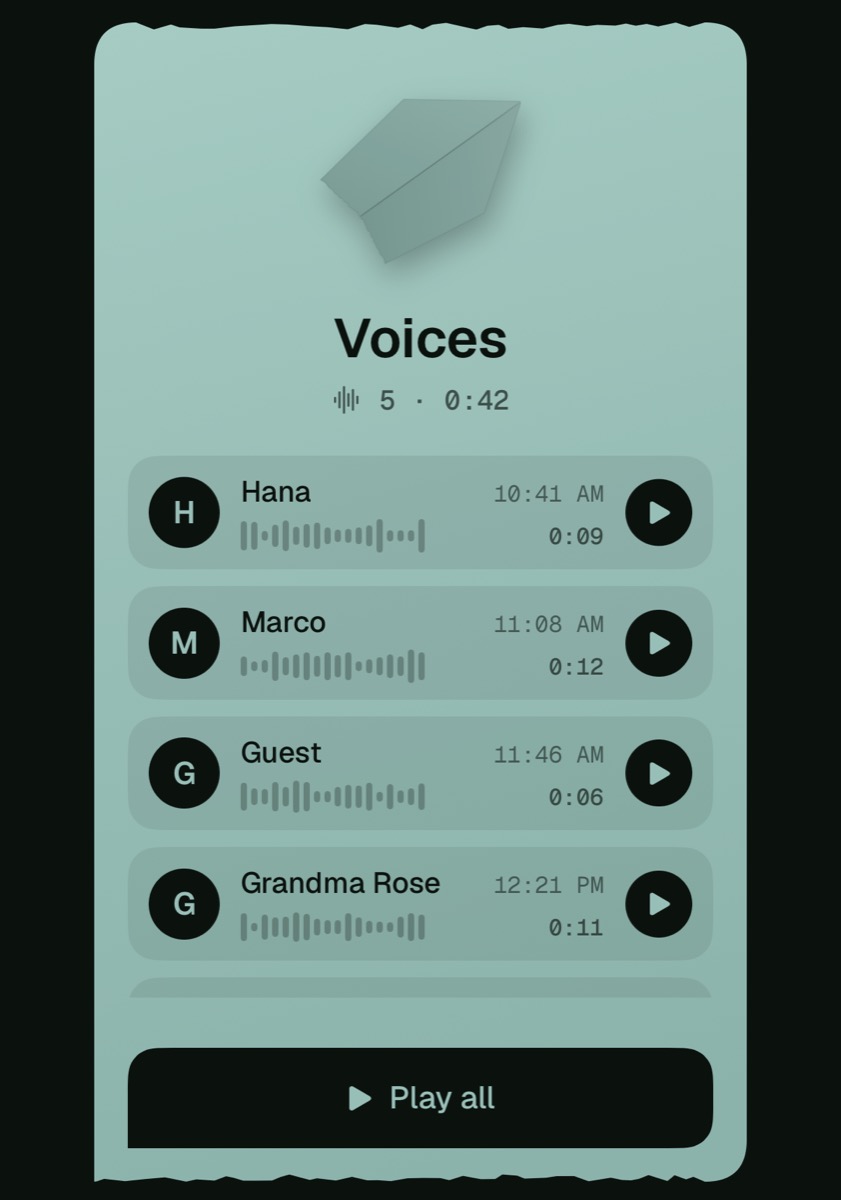
Voice notes and clips. SEENCAM guests can leave the host a voice note of up to 12 seconds, sealed until the reveal, and hold the shutter for a 4-second clip.
Hosting from Android. SEENCAM can't do this. If the host doesn't have an iPhone, POV is the better answer.
Which one to pick
- POV if the host uses Android, you run business events, you want a printed photobook, or you'd rather choose the app with the longest record.
- SEENCAM if you care most about film looks, you want guests to find their own photos, or you'd like their voices as well as their pictures.
Want to try it? SEENCAM gives your guests one QR code. They shoot from their own phones with no app to download, and every photo develops together when the roll opens. Free for up to 10 guests.
Get SEENCAM on the App StoreHow to test both for free
Both are free for up to 10 guests, so you don't have to decide from a table.
- Make a free event on each, a week or two before the real one.
- Scan the code on someone else's phone, ideally one iPhone and one Android, with no help from you. Count how long it takes them to take a photo.
- Shoot in the dark. Weddings and parties end in low light, so try the camera in a dim room.
- Wait for the reveal, then download everything. Check that you get all the photos, and at what quality.
Our guide to what to look for in a wedding photo sharing app has more questions to ask, and there are free QR signs to print whichever app you choose.
Sources
- POV – Disposable Camera Events, Apple App Store
- App Clips, Apple Developer
Related guides
Try it on a small roll first
Start a roll on your iPhone and send the code to a few friends. Free for up to 10 guests, and guests never need the app.
Get SEENCAM on the App Store