Bachelorette party photo ideas (and how to keep every photo in the group)
Updated 8 November 2026
The bachelorette photos worth keeping aren't the posed ones. They're the bride's face at each surprise, each friend with her one by one, and the slow morning after. Here is a shot list for the night or the weekend, and how to get everyone's photos into one private place.
What makes bachelorette photos different

Search for bachelorette photo ideas and you'll mostly find poses and paid photo shoots. The pictures the bride keeps are usually simpler: her friends, the house you rented, the toast that went on too long.
Two things tend to go wrong. The photos end up spread across eight phones and nobody ever collects them, and a few end up online before the bride has seen them. A little planning fixes both.
A shot list for the night or the weekend
Share this in the group chat, or give it to whoever likes taking pictures. Most of these only happen once.
- The place before anyone touches it: the decorations, the welcome bags, the cake.
- The first group photo, early. Take it while everyone is fresh, once posed and once silly. By the second evening, people are tired.
- The bride's face at each surprise: the decorations, the gifts, the first toast.
- Each friend with the bride, one at a time. Easy to forget, and often the ones she treasures most.
- Getting ready to go out: outfits on, in the doorway, before anyone leaves.
- The night itself: a handful on the dance floor or at the bar, not a hundred.
- The morning after: sunglasses, coffee, someone asleep on the sofa.
- The last group photo before everyone heads home.
Add a few short videos too: the cheers, the bride opening gifts, an informal toast. Ten seconds is plenty.
Getting everyone in the picture
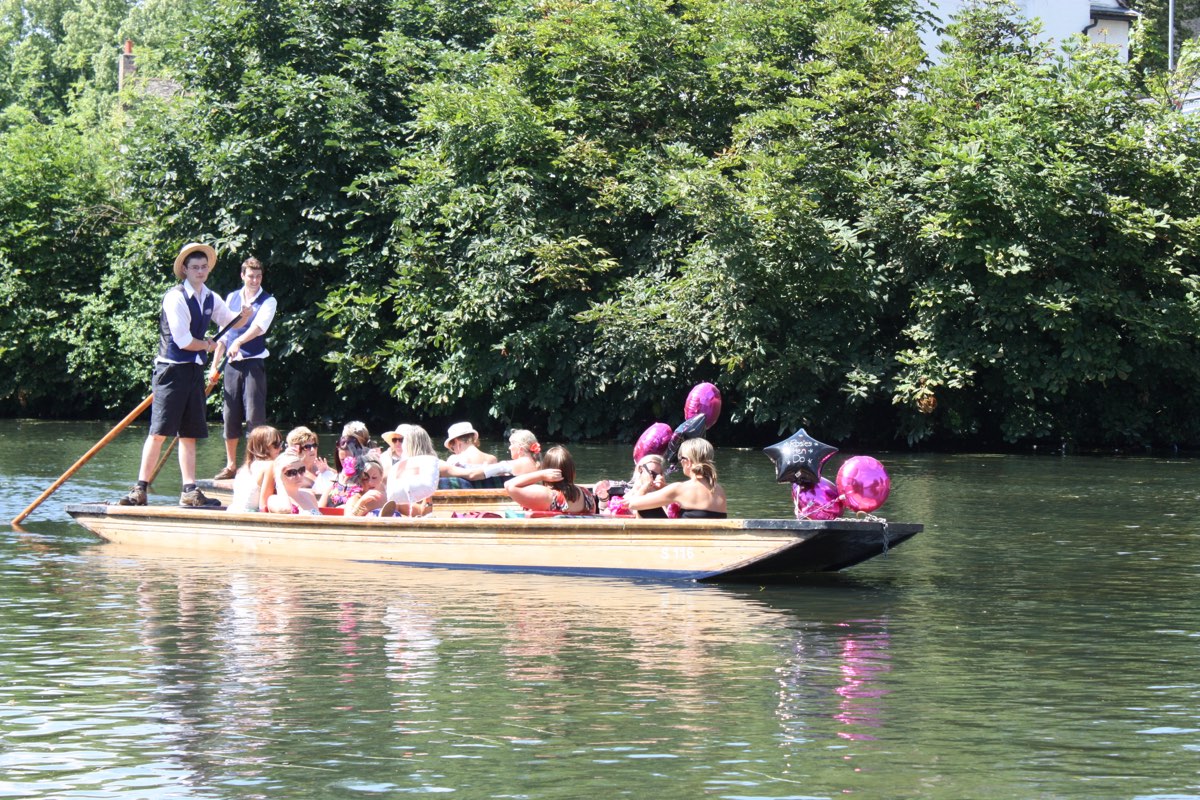
Whoever holds the phone is never in the photo, and at a bachelorette that's usually the friend who organised everything. A few fixes:
- Give the camera job to someone who isn't running the trip. The maid of honor, who often hosts, has enough to do.
- Make sure the photographer gets into some photos too. Swap the phone around at every stop.
- Pack a small phone stand or tripod and use the self-timer for the big group shots.
- Ask a server at dinner to take one photo of the whole table. Usually it's the only one with everyone in it.
Night-out photos that come out
- Step under a light. One lamp or a lit sign beats a dark corner.
- Hold still and take two. In low light, the second one is usually sharper.
- Use the flash close up. It works for a few faces at arm's length, not for a whole dance floor.
- Take the outfit photos before you leave, while the light at home is good.
Ask before anything goes online
Not every photo from a bachelorette belongs on Instagram. Ask the bride before the trip how she feels about posting. Some guests have jobs or families that would see, so don't post or tag anyone without asking. Public posts also reach the friends who weren't invited.
A simple rule works well: nothing goes online until the bride has seen it. Agree on it in the group chat before you leave.
How to collect everyone's photos
The group chat
Easy, because everyone is already in it. But photos get buried between flight times and restaurant links, and the best ones often never leave the phone that took them.
A shared album
Set it up before the trip, post the link in the chat, and send one reminder the day after. Here's how to make a shared album on iPhone. The catch is that people have to remember to add their photos, and many don't.
Real disposable cameras
Fun to pass around, and the photos have a look nobody can fake. But someone has to collect the cameras and get them developed, which takes days or weeks. Here's where to develop them.
One shared camera
Everyone joins one camera from their own phone, so every photo lands in one place as it's taken and nobody has to send anything afterwards. This is how SEENCAM works.
Want to try it? SEENCAM gives your guests one QR code. They shoot from their own phones with no app to download, and every photo develops together when the roll opens. Free for up to 10 guests.
Get SEENCAM on the App StoreSetting it up with SEENCAM
- Create a roll in the SEENCAM app on your iPhone and name it after the bride.
- Choose the rules: how many shots each guest gets, when shooting stops, and when the photos appear: during the party, when it ends, or 12 or 24 hours later. For a weekend away, leave shooting open until the last morning. For a single night out, the next morning works well.
- Send the link in the group chat before the trip, and tuck the QR code into the welcome bags.
- Everyone shoots from their own phone. Nobody installs anything or makes an account: on iPhone the camera opens as an App Clip, and on any other phone it opens in the browser.
- The roll opens at the time you chose, and everyone sees the whole party at once. Save your favourites or the whole roll.
Why it suits a bachelorette
- Nothing leaks mid-party. Photos stay hidden until the reveal, so nobody can post them halfway through the night.
- It stays in the group. Rolls are invite-only, and the host can set the roll so each guest sees only the photos they're in.
- A few shots each makes people choose. Shots left and time left show on the Dynamic Island and Lock Screen of an iPhone.
- Everyone finds themselves. Guests who take a selfie when they join can find every photo they're in. The matching happens on their phone, and faces are never uploaded.
- Messages for the bride. Guests can leave the host a voice note of up to 12 seconds, sealed until the reveal. Ask everyone for one, then play them for her when the roll opens.
- The extras. Eight film camera looks, a 4-second clip when you hold the shutter, writing on photos, and a reel of the weekend for an Instagram Story, once the bride has said yes to posting.
Want a game for the weekend? A photo scavenger hunt works just as well with a group of friends as at a wedding.
Wording for the group chat
- "Our camera for Maya's bachelorette: [link]. No app needed. A few shots each, and nobody sees them until Sunday."
- "House rule: nothing goes online until the bride has seen it."
Group size and cost
Most bachelorette groups are small, and every roll is free for up to 10 guests. For a bigger group, the host buys a bigger roll once, with no subscription, and can add more people after the roll has started. Guests never pay.
Sources
- Bachelorette Party Etiquette 101, Zola
- Bachelorette Party Photo Checklist: 7 Must-Capture Moments, Modern MOH
- Bachelorette Parties: 5 Social Media Blunders to Avoid, Confetti Daydreams
Related guides
One camera for the whole weekend
Start a roll on your iPhone, send the link to the group, and every photo develops together when the roll opens. Free for up to 10 guests.
Get SEENCAM on the App Store